We hear this all the time….. “What is the scope?”…”Is this in scope?” or “My entire company needs to be in scope”, and last but usually the worst, “This laptop has CUI on it a few times a year, so it doesn’t really need to be in scope”.
The confusion is real across the Defense Industrial Base (DIB), but it doesn’t have to be.
When government contractors or GovCons begin preparing for NIST SP 800-171 or CMMC, the first conversation often jumps directly to security tools, policies, cloud licenses, and assessments. That is understandable, but it usually skips the decision that affects nearly everything that follows.
In simple terms, your CMMC scope is the part of your business environment that must meet the applicable cybersecurity requirements and be supported with evidence during an assessment. It may include computers, cloud services, email accounts, servers, security tools, facilities, employees, outside service providers, and even printers, copy machines, and, yes, paper records.
The important word is may.
CMMC scope or being “in scope” does not automatically require every computer, every employee, every application, and every office in your company to be treated the same way. The correct boundary depends on where Federal Contract Information, or FCI, and Controlled Unclassified Information, or CUI, are processed, stored, transmitted, and protected.
Getting this boundary right can reduce the number of systems that must be secured, documented, monitored, licensed, and maintained. Getting it wrong can create unnecessary costs or leave important systems outside the assessment boundary where they can become a compliance problem later.
What does “in scope” mean for CMMC?
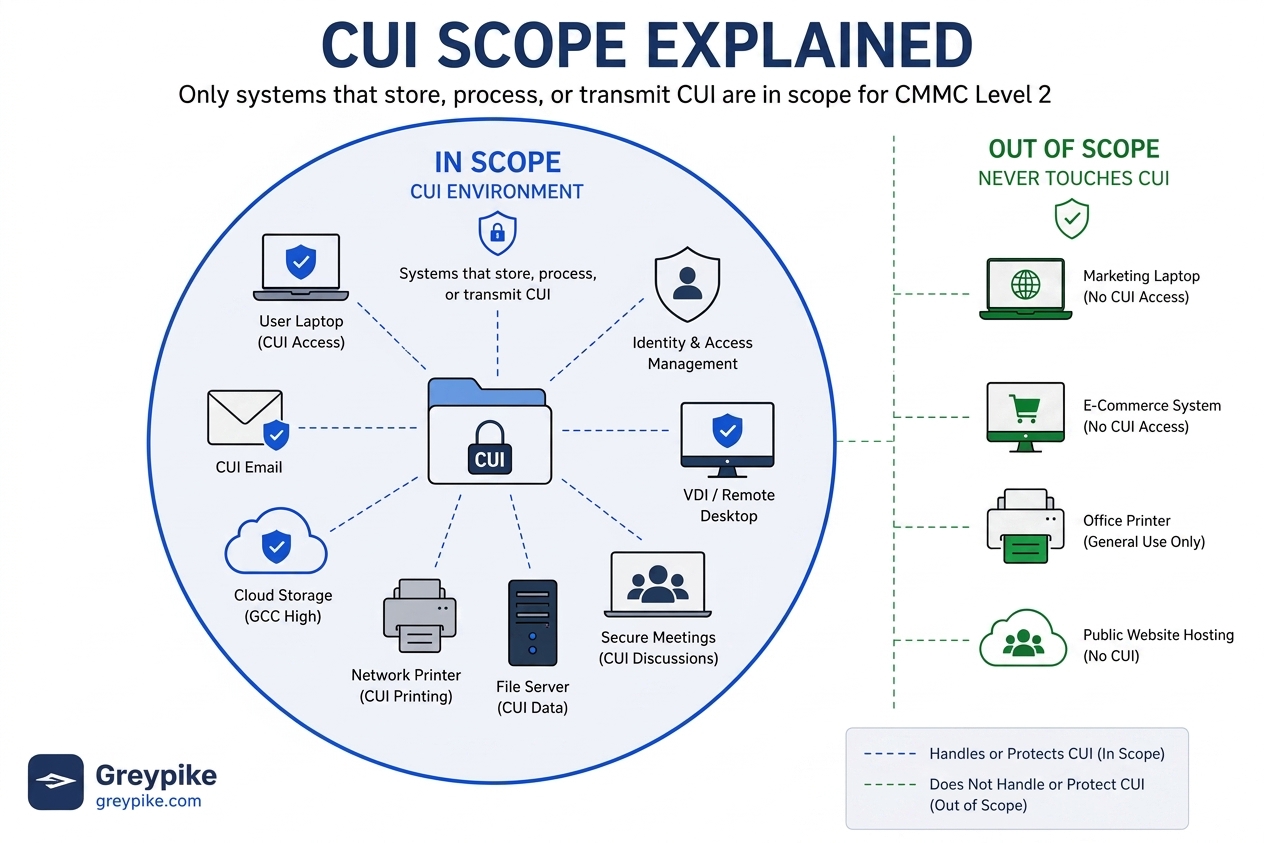
For CMMC scope purposes, an asset is generally “in scope” when it processes, stores, or transmits the information protected at the required CMMC level. At Level 1, that normally means systems handling FCI. At Level 2, the analysis centers on CUI and the systems that protect the CUI environment.
The current CMMC scope regulation defines the assessment scope as the set of assets in an organization’s environment that will be assessed against the applicable CMMC security requirements. For Level 2, the regulation separates assets into specific categories rather than treating every piece of technology identically. [ecfr.gov], [ecfr.gov]
The Department of Defense’s Level 2 Scoping Guide identifies five primary asset categories:
- CUI Assets: Systems that process, store, or transmit CUI.
- Security Protection Assets: Systems that provide security functions or capabilities to the CMMC environment, even when they do not directly contain CUI.
- Contractor Risk Managed Assets: Systems that could handle CUI but are not intended to do so because policies, procedures, and security practices prevent that use.
- Specialized Assets: Systems such as operational technology, Internet of Things devices, test equipment, and certain government-furnished systems that may not be capable of meeting every requirement in the same way as a standard business computer.
- Out-of-Scope Assets: Systems that cannot process, store, or transmit CUI and do not protect the CUI environment. [dodcio.defense.gov], [dodcio.defense.gov], [dodcio.defense.gov]
This means scope is not determined by who purchased a device, where it is physically located, or whether someone has placed an “out of scope” label on an inventory spreadsheet. Scope is determined by the device’s real relationship to the protected information and environment.
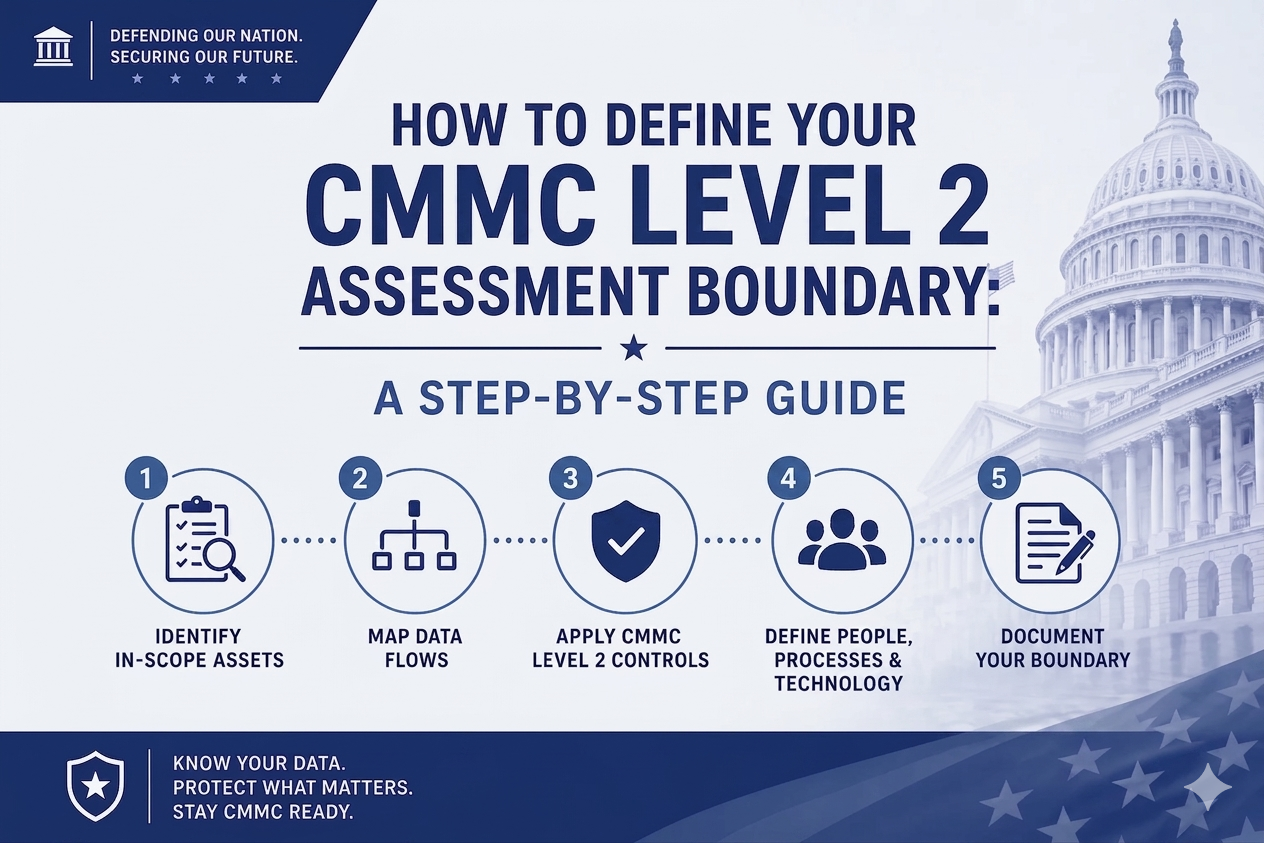
Start by following the information
The most practical way to understand CMMC scope is to follow the information.
Ask where CUI enters the company. It may arrive through email, a secure customer portal, a file transfer, a government-furnished system, or a subcontractor relationship. Then determine where employees open it, discuss it, edit it, print it, save it, back it up, and send it.
That exercise often reveals systems that were overlooked. For example, a company may believe that CUI exists only in a secure SharePoint site, but employees also download drawings to laptops, forward related information through email, place copies in project folders, print documents in a shared office, or discuss protected details through a collaboration platform.
Each of those actions can affect scope.
NIST SP 800-171 Revision 3 explains the underlying principle clearly: its security requirements apply to components of nonfederal systems that process, store, or transmit CUI, as well as components that provide protection for those systems. CMMC currently remains aligned to NIST SP 800-171 Revision 2 for its Level 2 assessment baseline, but the basic scoping concept remains consistent. [csrc.nist.gov], [nvlpubs.nist.gov], [media.defense.gov], [dodcio.defense.gov]
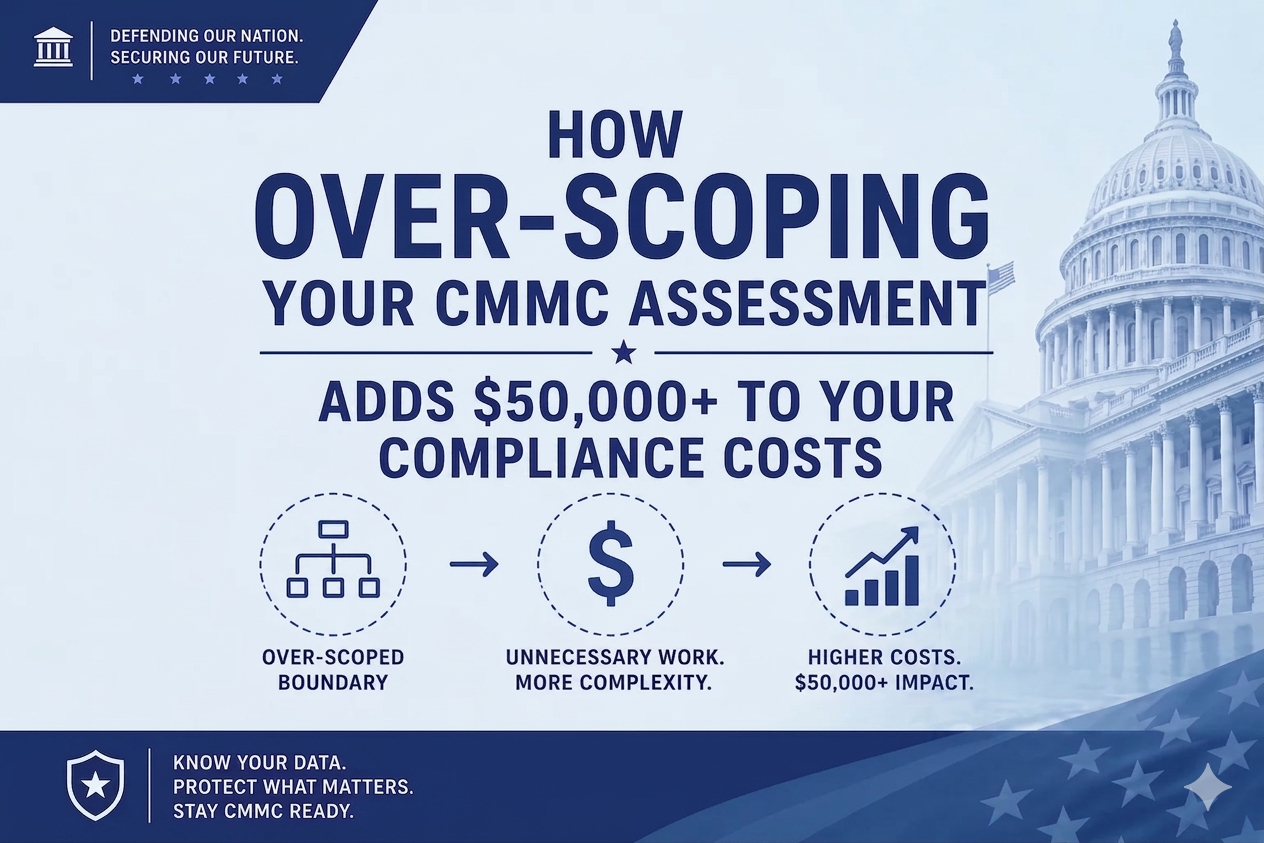
Why does CMMC scope have such a large effect on cost
Every asset brought into the CMMC boundary creates work.
An in-scope laptop may need approved configuration settings, controlled user access, encryption, monitoring, vulnerability management, security updates, logging, supporting documentation, and evidence that those protections remain in place. A server can add operating systems, applications, service accounts, administrators, network connections, backup processes, and physical security considerations.
An additional cloud application may require a review of its authorization, configuration, data handling, user access, logging, contracts, and responsibilities. An outside provider may also affect the boundary if it handles CUI or the information used to protect CUI.
As the boundary expands, contractors commonly face additional costs in several areas:
- User and security software licensing
- Endpoint and server management
- Cloud configuration and monitoring
- Log collection and retention
- Vulnerability scanning and remediation
- Asset inventories and network diagrams
- Policies, procedures, and System Security Plan content
- Evidence collection and recurring reviews
- Assessment preparation and sampling
- Ongoing maintenance after the initial assessment
This is why Greypike’s internal compliance approach begins with the CUI boundary, asset inventory, and data flow rather than immediately assuming that the contractor’s entire business environment must become part of the assessment. Greypike’s managed enclave model is designed to contain CUI in a dedicated environment while reducing the number of unrelated business systems within the assessment boundary. [Greypike-C…t-Briefing | PowerPoint], [Greypike_C…m_Overview | PDF], [Greypike_C…t-AUG-2026 | PDF], [Greypike_C…sStatement | PDF]
Common myths and misconceptions about CMMC scope
Myth 1: “Our entire company must become CMMC compliant”
This is one of the most expensive misconceptions.
The whole legal entity may have responsibilities under a contract, but that does not mean every company asset must automatically be included in the CMMC scope or assessment scope. A properly separated accounting system, public website, marketing computer, or general business application may remain outside the Level 2 boundary when it does not handle CUI, does not protect the CUI environment, and cannot provide an uncontrolled path into it.
The boundary must reflect reality, however. A diagram alone does not create separation. The organization must use technical controls, documented processes, and actual operating practices that keep CUI inside the defined environment.
Myth 2: “We only have a few CUI files, so scope does not really matter”
A small amount of CUI can still touch a large number of systems.
One drawing received through email could reach an employee’s mailbox, laptop, downloads folder, design application, backup platform, shared drive, printer, mobile notification, and outside engineering provider. The amount of information does not determine the size of the boundary. The path the information follows does.
A contractor with five CUI documents and poor information controls can have a larger scope than a contractor with thousands of documents inside a carefully managed enclave.
Myth 3: “Buying GCC High, GovCloud, or another government cloud makes us compliant”
A compliant or authorized cloud platform can be an important part of the solution, but purchasing it does not make the organization compliant.
The contractor must still configure access, manage users, protect endpoints, control information sharing, monitor activity, maintain documentation, train personnel, respond to incidents, and produce evidence that the requirements operate as intended.
Cloud authorization addresses the provider’s environment and services. It does not automatically satisfy every responsibility belonging to the contractor.
Myth 4: “If CUI is encrypted, it is out of scope”
Encryption protects information, but it does not generally change the information’s status. The Department’s current CMMC Scope FAQ specifically addresses this misconception and states that encrypted CUI remains CUI. [dodcio.defense.gov]
Encryption can help meet applicable security requirements and can support a well-designed architecture, but it should not be treated as a method for making CUI disappear from the boundary.
Myth 5: “Our firewall, identity system, or security software does not contain CUI, so it is out of scope”
Systems that protect the CUI environment may be Security Protection Assets.
This can include identity providers, endpoint security platforms, firewalls, monitoring systems, security information and event management platforms, and other tools that enforce or support the required security protections. The CMMC regulation covers systems that provide security protection for systems processing, storing, or transmitting CUI. [ecfr.gov]
A security tool does not have to contain the original CUI document to affect the confidentiality and security of the environment.
Myth 6: “An outsourced IT provider takes the compliance responsibility away from us”
Outside providers can perform important security and operational functions, but the contractor remains responsible for understanding how those providers affect its CMMC environment.
External Service Providers may enter the assessment scope when their people, technology, or facilities process CUI or Security Protection Data. Cloud Service Providers that handle covered defense information also have specific requirements under DFARS 252.204-7012. [ecfr.gov], [acquisition.gov], [ecfr.gov]
The practical question is not simply whether a vendor calls itself an MSP, MSSP, cloud provider, or consultant. The important questions are what the provider can access, what information reaches its systems, what security functions it performs, and which party is responsible for producing the necessary evidence.
Myth 7: “We can declare personal devices and shared computers out of scope”
A policy statement is not enough if a device can still access or download CUI.
If employees can open CUI from their home computers, synchronize it to a personal device, save it locally, print it, or copy it into an unapproved application, those devices may create a larger boundary or an uncontrolled data path.
The regulation does provide a specific example involving certain virtual desktop configurations. An endpoint hosting a properly configured VDI client can be considered out of scope when the endpoint does not process, store, or transmit protected information beyond the keyboard, video, and mouse interaction described in the regulation. That is a technical condition, not simply a decision to call the endpoint out of scope. [ecfr.gov], [law.cornell.edu]
How a CUI enclave can reduce CMMC scope
A CUI enclave is a dedicated environment built to keep CUI within a controlled boundary. Depending on the contractor’s work, it may include a limited group of users, managed devices or virtual desktops, approved cloud storage, controlled email, identity services, security monitoring, and documented processes.
The purpose is not to avoid the requirements. The purpose is to apply the requirements to the correct environment.
For example, imagine a 100-person manufacturer where only 12 employees need access to CUI. If CUI is allowed throughout the company’s normal email, servers, file shares, engineering systems, printers, and personal devices, the assessment boundary could become very large.
If the business can redesign the workflow so that those 12 employees access CUI only through an isolated, managed environment, many unrelated systems may be kept outside that boundary. The actual result depends on the company’s data flows and technical architecture, but the principle is straightforward: fewer systems touching or protecting CUI usually means fewer systems that must be secured, documented, monitored, and supported with evidence.
Greypike has used this approach when evaluating whether existing servers, printers, office systems, and other infrastructure can remain outside a client’s CUI boundary while authorized users work inside a controlled environment. The objective is to reduce unnecessary infrastructure exposure without hiding assets that genuinely belong in scope. [CMMC _ Man…Transcript | Video], [CMMC & Man…pike & DPI | Meeting], [CMMC_Level…e_Greypike | Word]
Good scoping is not about making the boundary as small as possible
The goal should be a boundary that is accurate, supportable, and defensible, not simply the smallest boundary someone can draw.
An artificially small boundary can be dangerous. If an assessor discovers that CUI regularly moves through systems excluded from the asset inventory or System Security Plan, the organization may have to correct the architecture, update its documentation, produce additional evidence, and revisit assessment work.
A defensible scope should answer four questions:
- Where does CUI enter the organization?
- Where can it be viewed, processed, stored, transmitted, printed, or discussed?
- Which systems and providers protect that environment?
- What prevents CUI from reaching systems designated as out of scope?
The answers should be reflected consistently across the asset inventory, data flow diagram, network diagram, System Security Plan, policies, provider relationships, and day-to-day employee practices.
A note on the current CMMC timeline
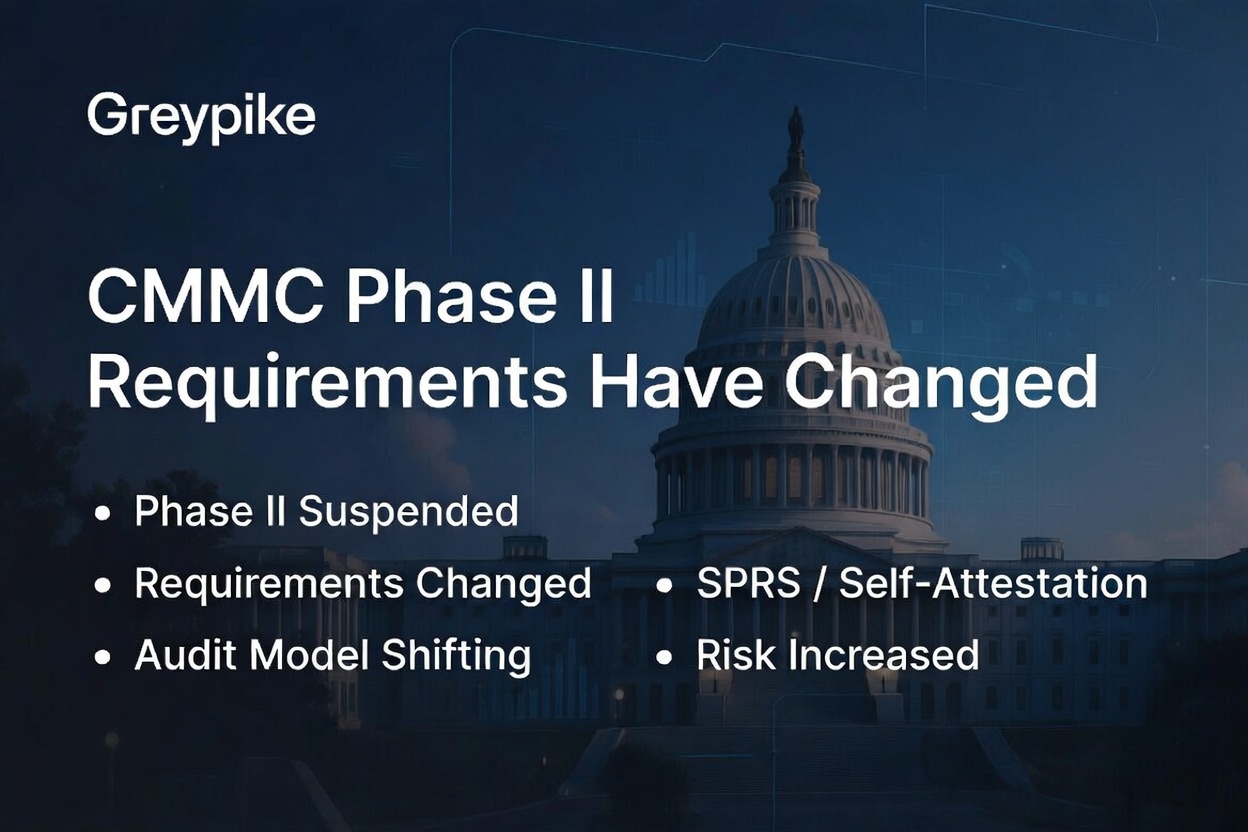
On July 13, 2026, the Department suspended the planned transition to CMMC Phase II, which had been scheduled for November 10, 2026. The Department also suspended later implementation milestones while it reviews the program.
That suspension did not remove the underlying obligation to protect CUI. Phase I self-assessment requirements remain in place, and the Department has stated that it will continue enforcing NIST SP 800-171 Revision 2 through Level 1 and Level 2 self-assessments and selected government-led assessments. DFARS 252.204-7012 also remains in effect. [dodcio.defense.gov], [dodcio.defense.gov], [business.defense.gov], [dodcio.defense.gov], [dodcio.defense.gov]
For contractors, that makes an accurate CMMC scope just as important as before. Scope determines what is included in the self-assessment, what appears in the System Security Plan, what supports the SPRS submission, and what the company’s affirming official is representing about the environment.

Frequently asked questions about CMMC scope and being “in scope”
What is the simplest definition of CMMC scope?
CMMC scope is the group of people, technology, facilities, and outside services that must be considered when assessing how your company protects FCI or CUI.
Does every employee need to be in scope?
Not necessarily. Employees who never access CUI and cannot administer or affect the CUI environment may be outside the Level 2 boundary. The organization must have effective access controls and working practices that preserve that separation.
Is email in scope for CMMC?
Email is in scope when it is used to receive, send, store, or discuss CUI. If CUI never enters the general corporate email system and technical controls prevent it from doing so, that email environment may have a different scoping outcome.
Are laptops in scope if users only view CUI?
Viewing information is a form of processing. A standard laptop used to open or view CUI will generally need to be considered a CUI Asset unless a specific architecture, such as a properly restricted virtual desktop implementation, prevents the endpoint from processing, storing, or transmitting the CUI itself.
Can printers be out of scope?
A printer that cannot print CUI and is effectively prevented from receiving it may be outside the CUI boundary. A printer used for CUI introduces additional considerations involving the device, network path, print storage, physical output, and disposal process.
Does Microsoft 365 GCC High automatically satisfy CMMC Level 2?
No. GCC High can provide capabilities that support a compliant architecture, but the contractor still has responsibilities for configuration, identity, endpoints, policies, monitoring, evidence, employee behavior, and ongoing operation.
Is NIST SP 800-171 Revision 3 currently the CMMC Level 2 assessment standard?
No. NIST published Revision 3 in May 2024, but the current CMMC Level 2 program remains based on NIST SP 800-171 Revision 2. Organizations may plan for Revision 3, but they should not assume that a Revision 3 implementation replaces their current contractual or CMMC Revision 2 obligations. [csrc.nist.gov], [ecfr.gov], [media.defense.gov]
How does proper scoping save money?
Proper scoping can reduce the number of users, devices, servers, applications, facilities, and providers that require specialized security configurations, licenses, monitoring, documentation, evidence, and recurring compliance work. Savings depend on the existing environment and cannot be determined until the actual CUI flow is understood.
Should we simply build the smallest possible enclave?
No. The enclave must still support the company’s real work. A boundary that employees bypass because it is impractical will not remain defensible. The best design balances security, usability, contractual obligations, assessment evidence, and cost.
Start with your scope before buying more technology
Before purchasing another security platform, migrating every employee, or assuming the entire business must become part of a CMMC Level 2 environment, map the information first.
Identify the CUI. Follow its path. Find the people who need it. Identify the systems that protect it. Then design the boundary around how the company actually performs the contract.
That is where an effective NIST SP 800-171 and CMMC program begins, and it is often where the greatest opportunity exists to avoid unnecessary cost.
Talk with Greypike about being “in scope for your CMMC compliance
Greypike helps government contractors identify their CUI boundary, document data flows, categorize assets, evaluate existing systems, and design managed compliant enclaves that reduce unnecessary assessment scope without creating hidden compliance risk.
If you are unsure which employees, endpoints, servers, cloud applications, security tools, or service providers belong in your CMMC environment, contact Greypike before committing to a large migration or purchasing additional technology.
Visit Greypike’s contact page or email info@greypike.com to discuss your NIST SP 800-171 or CMMC scoping questions.
Greypike is a veteran-owned cybersecurity and compliance company supporting government contractors with CMMC Level 1 and Level 2 programs, NIST SP 800-171 readiness, managed compliant enclaves, System Security Plans, evidence development, SPRS preparation, and assessment readiness.
Verified Primary Sources
- CMMC Level 2 Scoping Guide [dodcio.defense.gov]
- Current CMMC scoping regulation, 32 CFR 170.19 [ecfr.gov]
- Current CMMC Program regulation, 32 CFR Part 170 [ecfr.gov]
- CMMC Level 2 Assessment Guide [dodcio.defense.gov]
- NIST SP 800-171 Revision 3 [csrc.nist.gov]
- NIST SP 800-171 Revision 3 Small Business Primer [nist.gov]
- DFARS 252.204-7012 [acquisition.gov]
- CMMC Program final rule [federalregister.gov]
- Current Department CMMC overview [dodcio.defense.gov]
- July 13, 2026 CMMC Phase II suspension announcement [business.defense.gov]
- Current CMMC frequently asked questions [media.defense.gov]