CMMC | AI | GovCon | June 2026
By: David Dillow – CTO, Greypike Inc.
As I attend defense conferences and meet with GovCons regularly, there’s a conversation happening inside almost every defense contractor right now, whether leadership knows it or not. Someone in your shop has discovered that an AI tool can write their proposal boilerplate, clean up their meeting notes, or summarize a forty-page document in ten seconds. They love it; they’re thrilled. They’re faster. And they have absolutely no idea where the words they typed actually went; some say they go into the “ether”.
That last part is the whole problem.
A lot of the writing about artificial intelligence (AI) and compliance assumes you already understand how AI works under the hood. In my 20+ year government career, I was always taught, never assume anything. We’re going to start at the very beginning, as if you’ve never thought about what happens when you type into a chatbot, because you cannot make good decisions about Controlled Unclassified Information (CUI) and Cybersecurity Maturity Model Certification (CMMC) until you understand the machine you’re feeding.
So let’s build that understanding from the ground up, and then talk about why it matters so much when sensitive defense information is on the line and what the exposure can cost U.S. National Security.
Part One: How AI Actually Works (Let’s Break It Down)
An AI model is not a person, and it’s not a search engine
When you type a question into a tool like ChatGPT or Microsoft Copilot, it feels like you’re talking to something. It answers in full sentences. It seems to understand you. This makes people treat it like a smart coworker, a private notebook, or a battle buddy you just reconnected with.
It is neither.
What you’re actually using is called a large language model, or LLM. Strip away the magic, and an LLM is a very large, very sophisticated prediction machine. It was built to do one core thing: look at a stretch of text and guess what words should come next. It does this so well, across so many topics, that the result looks like understanding. But underneath, it’s pattern-matching, connecting the dots, at a scale no human could ever do.
That distinction matters because it changes how the system has to be built, and most importantly, where your data has to travel for any of it to work.
AI happens in two phases: building it, and using it
There are two completely separate stages in the life of an AI model, and confusing them is where a lot of bad assumptions come from.
Phase one is training the AI Model. Before you ever touched it, the model was built by feeding it an enormous amount of text, think a large slice of the public internet, books, articles, code, and more. During training, the system slowly adjusts billions of internal settings (LLM engineers call them parameters or weights) until it gets good at predicting language. This takes months, costs millions of dollars, and happens in massive data centers full of specialized computers. You never see this part. By the time the tool reaches your screen, training is already done.
Phase two is using the AI model. If you want to sound cool at your next golf game and AI comes up, the industry term for using AI is inference. This is what happens every time you type something and hit enter. Your text gets sent off to ChatGPT, Claude, or CoPilot to be processed, the model runs its prediction, and an answer comes back to you. This is the part you actually experience, and it’s the part that should make you pause.
Here’s why.
When you type into an AI tool, your words leave your laptop
This is the single most important thing for a newcomer to understand, so I’m going to say it plainly:
The AI is not running on your computer.
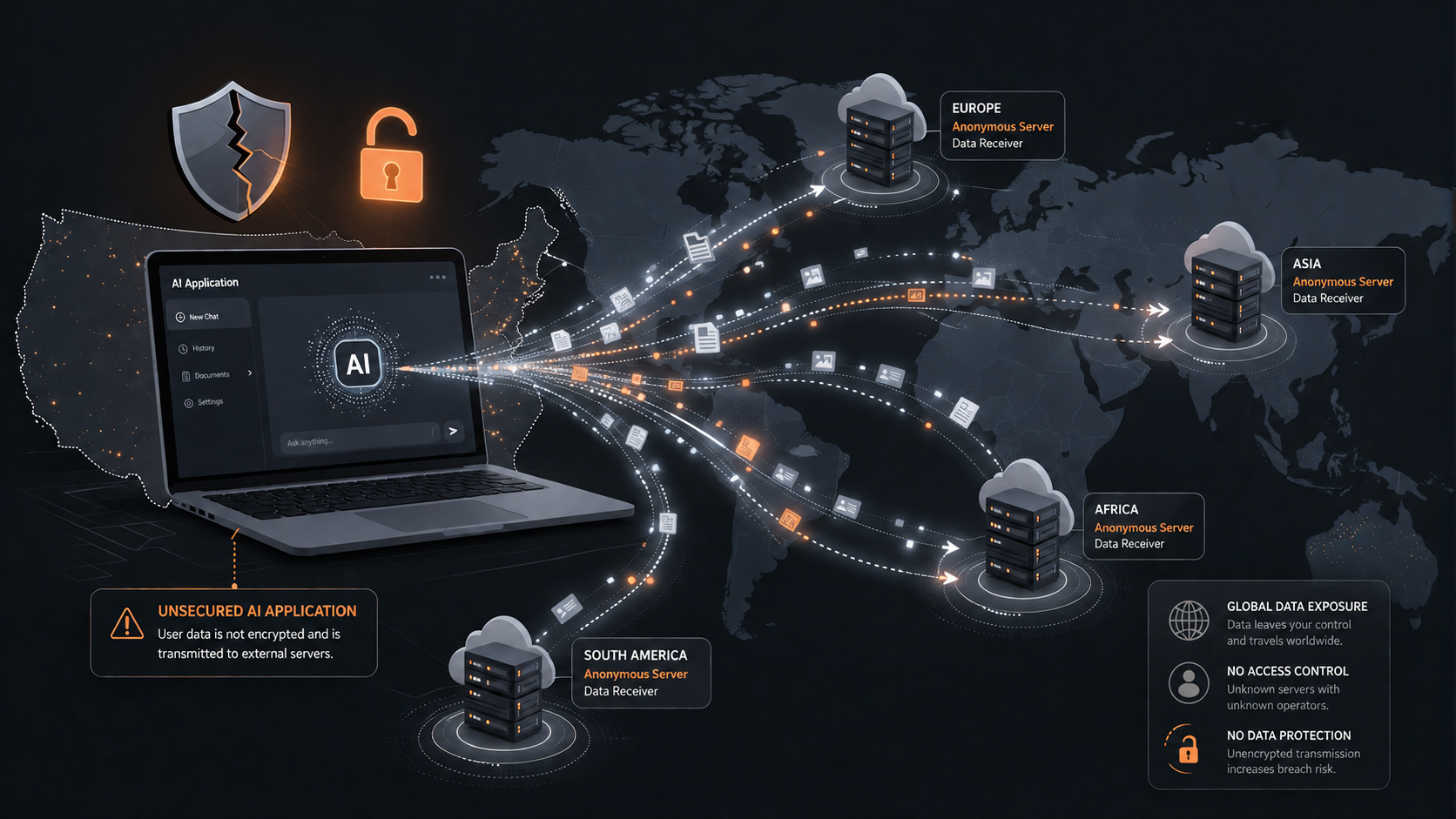
When you open a chatbot in your web browser or a desktop app, it feels local. The window is right there on your screen. But that window is just a doorway. The model itself… the giant prediction machine…lives in a data center somewhere else entirely, on servers owned by the company that built the tool. Those servers might be in another state. They might be in another country, including China.
So the moment you press enter, here’s the actual journey your words take:
- They leave your laptop.
- They travel across the internet to the AI company’s servers.
- They get processed there, on hardware you don’t own and can’t see.
- An answer travels back to your screen.
Everything you typed — every name, number, paragraph, and pasted document — made that trip. It did not stay on your machine. It did not stay inside your building. It did not stay inside your network. The friendly little chat box is the most misleading interface in modern software, because it makes a long-distance data transfer feel like a private diary entry.
What “the cloud” really means here
People throw around the words “the cloud like it’s weather. It’s not. “The cloud” is just someone else’s computers, in someone else’s building, that you reach over the internet. When your data goes “to the cloud,” it goes to a physical place, a warehouse full of servers, owned and operated by a company that is not you. Many times, your inputs, text, images, files are actually sitting in one of those new giant datacenters that popped up down the road or across your state.
That’s not automatically bad. Most modern software works this way, and plenty of it is extremely secure. But it does mean a simple truth applies: once your information leaves your control and lands on someone else’s hardware, their rules, their security, and their policies decide what happens to it next.
So, who can actually see and use what you typed?
This is the part that surprises people most. When your text reaches an AI company’s servers, several things can happen to it depending on the tool, the plan, policies, and the settings:
- It can be stored. Many services keep a record of your conversations, your prompts and the model’s answers, sometimes for a long time.
- It can be read by humans. To improve quality and catch abuse, some providers allow employees or contractors to review samples of real user conversations. A person you’ve never met may read what you wrote to include all the finances and private data you just entered into your AI chat to build a spreadsheet for the CEO…. think about it.
- It can be used to train future models. On many consumer tools, the default setting allows your inputs to be fed back into the training process for the next version of the AI. In plain terms: what you typed today can become part of the raw material that shapes the model tomorrow.
That last point deserves a second look. When your data is used for training, it doesn’t sit in a labeled folder with your name on it. Instead, it gets blended into the statistical patterns the model learns from. In rare but real cases, sensitive information that went into training has resurfaced in later answers to other people. You lose not just possession of the data, you lose the ability to ever fully pull it back.
The mental model to keep
If you remember nothing else, remember this: typing into a consumer AI tool is closer to publishing than to writing in a private document. You are handing your words to a company, sending them across the internet to machines you don’t control, where they may be stored, reviewed by strangers, and absorbed into a product used by millions of other people.
For most everyday tasks, that’s a perfectly acceptable trade. For a defense contractor handling government information, it can be a serious problem.
Which brings us to the part that actually keeps us, compliance officers, up at night.
Part Two: Why This Matters to a Government Contractor, CUI, and CMMC Environment
A quick refresher on what’s at stake
Controlled Unclassified Information (CUI) is sensitive government information that isn’t classified but is still legally protected. Think technical drawings, statements of work, performance reports, export-controlled details, and the everyday documents that flow through a defense program. The federal government requires that CUI be protected according to a security standard called NIST SP 800-171, and CMMC is the program that verifies you’re actually protecting it.
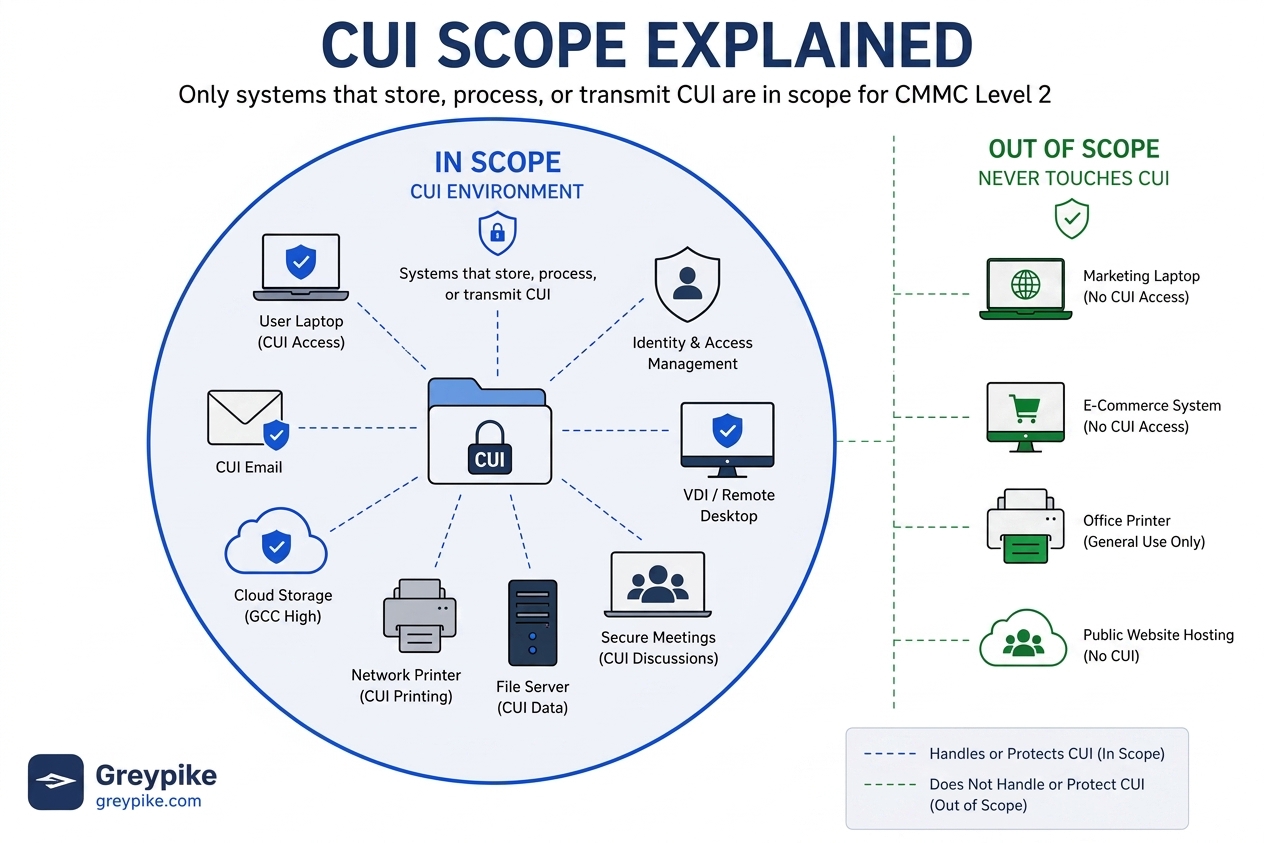
The core rule is simple: CUI is only allowed to live in authorized, properly secured systems. That’s the entire game. Your role as a government contractor handling data is to keep CUI inside a controlled boundary and out of everywhere else.
Now connect that to what you just learned about how AI works.
The collision
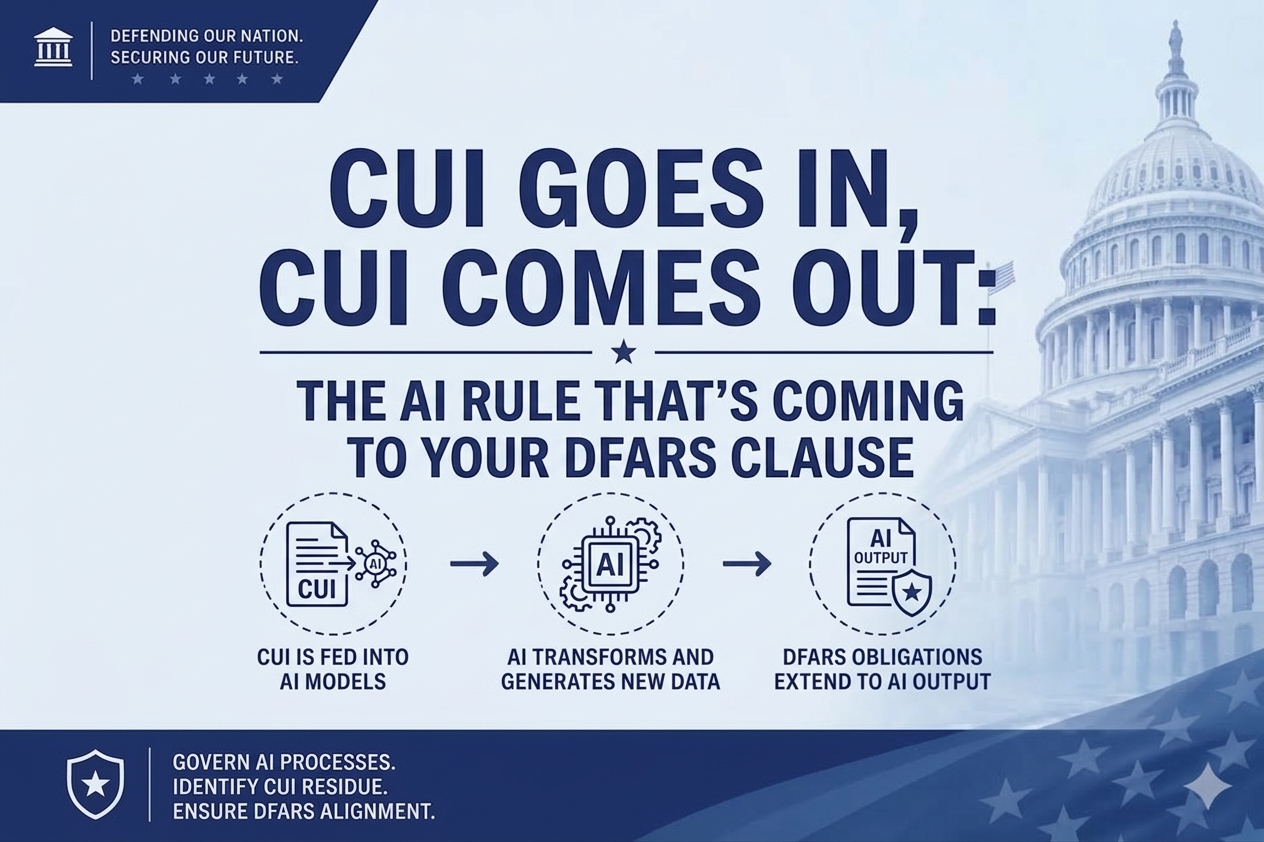
A consumer AI tool, Copilot, ChatGPT, Claude, etc… by design, takes whatever you type and sends it out of your control to servers you don’t own, where it may be stored, seen by humans, and used for training. A CUI obligation and policy, by design, requires you to keep that exact kind of information locked inside an authorized environment.
Those two facts cannot coexist. The moment an employee pastes a paragraph of CUI into a consumer chatbot to “clean it up,” the information has left the authorized boundary. It has spilled.
In compliance terms, that’s the bad word that no one wants to read “data spillage” — sensitive information introduced into an unauthorized system. And here’s the uncomfortable reality and where things go sideways: this kind of spillage doesn’t look dramatic. There’s no alarm. Nothing turns red on a dashboard. It looks like a helpful employee is being productive:
- A proposal writer feeds last year’s contract into an AI tool to model the structure of a new bid to “speed up” the process.
- A program manager asks a chatbot to summarize meeting notes that reference deliverable schedules and defense contract line items.
- An engineer drops a U.S. Navy technical spec into an assistant to help reword it for a customer or contracting officer.
None of those people thought they did anything wrong. None of it will show up in your security monitoring. But each one may have moved CUI into a place it was never authorized to go, and under CMMC Level 2 controls, that’s the kind of thing that threatens your certification and, by extension, your company’s current and future government contracts.
Why we hear “but AI seemed private” is the trap
Everything we covered in Part One exists to explain why this happens so easily. The interface lies to people. A chat box feels personal and contained; it uses an HTTPS secure domain, so smart, well-intentioned employees treat it like a private scratchpad. They aren’t being reckless. They simply never learned that the words (their data) leave the building.
That’s why the fix is never just “tell people to stop.” You can’t police your way out of a tool that’s genuinely useful and feels harmless. The real fix is to give people AI they’re actually allowed to use.
Part Three: What Safe AI in a CUI Environment Looks Like
The good news is that AI itself isn’t the enemy. You can still use the power of LLM’s and AI within your company and with CUI/ITAR data. The uncontrolled, consumer-grade version is the problem. The same prediction machine (LLM) that’s so useful to your team can be deployed inside a secure boundary or enclave that you actually control. A few things separate a compliant setup from a dangerous one:
- The model runs inside an authorized environment. Instead of sending your data off to a public service, the AI operates within a system built to protect CUI, for example, a FedRAMP-authorized or U.S. government cloud environment such as GCC High, AWS GovCloud, or a private enclave engineered to NIST SP 800-171 standards.
- Your data is never used for training. In a properly built, private environment, what you type stays yours. It isn’t blended into anyone’s future model.
- Access is controlled and logged. Who used the tool, when, how they access the AI model, and with what data is tracked- exactly the kind of evidence a CMMC assessor expects to see.
- The boundary holds. The whole point is that CUI never leaves the authorized space. The AI comes to the data inside the fence, rather than the data being shipped out to the AI.
When those conditions are met, your team gets the speed and leverage of AI without quietly shredding your compliance posture. They stop reaching for the risky tool because they finally have a safe one that does the job.
The Bottom Line
AI is not magic, and it’s not local. It’s a prediction engine that lives in a corporate data center is some country across the globe, and the friendly chat window hides a long journey your data takes every single time you use it. For most people, that’s fine. For a defense contractor responsible for CUI, understanding that journey is the difference between using AI as an advantage and using it as the thing that costs you your next contract.
Your team is already using AI. The only real question is whether they’re using a version you control, or one that’s quietly carrying your most sensitive information out the door.
Frequently Asked Questions (FAQ):
Can you use ChatGPT with CUI? No. Entering Controlled Unclassified Information (CUI) or “Cooey” as some call it into ChatGPT, commercial Copilot, Gemini, or similar consumer tools sends it to servers outside your authorized boundary, which is a CUI spillage and a CMMC violation.
Where does AI store your data? Not on your laptop. When you type into an AI tool, your text travels across the internet to the provider’s data-center servers, where it may be stored, reviewed by humans, and used to train future models.
Is AI processing done locally on my computer? Usually no, unless you download and run a local model. The chat window runs on your device, but the AI model itself runs on remote servers owned by the provider, so your input leaves your machine every time you use it.
Can AI tools be used compliantly with CUI? Yes. Using AI in a CUI environment is possible when the AI runs inside an authorized environment (such as a FedRAMP-authorized or GCC High system), never trains on your data, logs access, and keeps CUI inside the assessment boundary.
What is shadow AI in CMMC? Shadow AI is the undocumented use of AI tools by employees on work systems. It’s one of the most common assessment findings because CUI can flow into unauthorized tools with no record.
A note on doing this safely
At Greypike, compliance is the problem we build for. We help defense contractors deploy private, CUI-safe AI inside FedRAMP-authorized and GCC High environments, so your team gets the productivity of modern AI without the spillage risk that comes with consumer tools. If your team is already experimenting with AI (and they almost certainly are), it’s worth getting ahead of it before an assessor or an incident gets ahead of you.
Want to talk through what safe AI looks like for your environment? Book a free scoping session with us.